
Text to profiles
ShapeMason sets text in a font you have installed and writes the letters as closed profiles: a DXF sketch, or with a depth a STEP solid. Letters with holes (A, B, O) keep them.
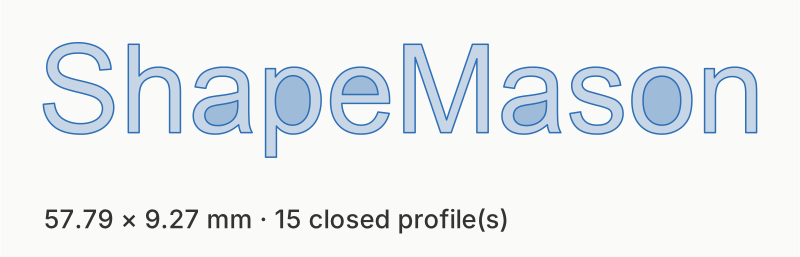
shapemason text ShapeMason --size 10, in the default sans-serif.
In the sidebar, choose Set Text (⌘T on a Mac), type the text, pick Text Sketch (DXF) or Extruded Text (STEP), and set Font, Size and Alignment. Text has no file to sit beside, so the app asks where to save unless Save To is a folder.
shapemason text "ShapeMason" --font "Helvetica Neue" --size 12shapemason text "Line one" "Line two" --align center --depth 2Several arguments, or \n, give several lines. The file is named after
the first line (ShapeMason.dxf).
Options
Section titled “Options”- Size is the em height in mm (default 10).
- Alignment lines up several lines left, center or right.
- Letter spacing adds mm between glyphs; Line spacing is the line pitch as a multiple of the size (default 1.2).
- Font is a family name; without one, sans-serif. An Extra fonts
folder (
--font-dir) adds font files that aren’t installed. - The sketch options apply too: width and height, mirror, offset, union.
See Text options. If the font you named isn’t found, the report says which font was used instead: Troubleshooting.
Use cases
Section titled “Use cases”Name plates, engraved labels, stamps, brand fonts: step by step, for every front end.